Key Points
- Third-party apps are programs that are not built into the OS but obtained from external vendors, which could introduce potential risks to the IT environment.
- Third-party access governance can aid in ensuring security while using third-party apps.
- Third-party app management involves:
- Defining what constitutes a third-party app
- Distinguishing between first-party and system apps
- Understanding the risks associated with third-party apps
- Recognizing the various categories of third-party apps
- Implementing governance throughout the app lifecycle.
- Some issues you may encounter when managing third-party apps:
- Unexpected behavior or data access
- Security incidents without OS compromise
- Patch gaps
- Instances of user-installed tools
- NinjaOne can help manage third-party apps through centralized visibility, application inventory, update and patch tracking, policy enforcement, and structured governance.
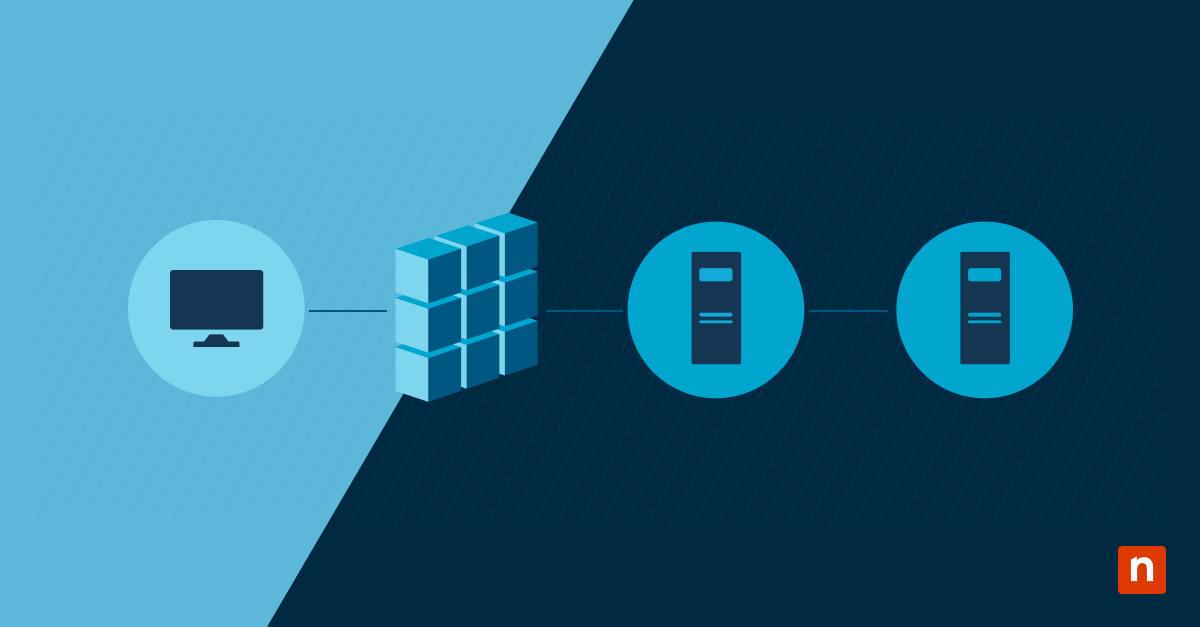
Third-party apps have proven their value over the years, as many IT environments have become increasingly reliant on them. Third-party apps are programs that are not built into the operating system or platform. Since they are obtained from other sources, downloading and installing them may introduce risks. This is why third-party access governance has become a critical discipline for IT and security teams.
From desktop software and mobile apps to browser extensions and SaaS integrations, third-party applications operate outside native platform trust boundaries. To help ensure safety, we will walk you through the steps in implementing special oversight for third-party apps.
At a glance
| Task | Purpose and value |
| Task 1: Define what qualifies as a third-party app | Establishes which applications require special oversight and governance. |
| Task 2: Distinguish first-party and system apps | Clarifies why third-party apps need different controls than built-in software. |
| Task 3: Understand why third-party apps increase risk | Identifies how external apps introduce security, access, and supply chain risks. |
| Task 4: Recognize different third-party app categories | Enables risk-based controls based on app type and integration depth. |
| Task 5: Apply governance across the app lifecycle | Ensures consistent oversight from installation through decommissioning to reduce long-term exposure. |
Prerequisites
Before proceeding with third-party application management, you need to consider the following factors first:
- A general understanding of operating systems and applications
- Awareness of app installation and update mechanisms
- Familiarity with basic security and access concepts
Task 1: Define what qualifies as a third-party app
It’s essential to understand what a third-party app is, so you know which ones require special oversight. This includes desktop applications, mobile apps, SaaS integrations, and extensions.
A third-party app is any application that is:
- Developed by an external vendor: These are programs that are not built into the operating system; hence, they are created by third-party vendors and can be obtained from external sources.
- Installed on top of an operating system or platform: Since these applications are downloaded from external sources, their installation is required on top of an existing operating system or platform.
- Granted access to system resources, identity, or data: These applications often require permissions to access device resources, user identities, or organizational data to function properly.
Task 2: Distinguish first-party and system apps
To ensure that you understand the need for special oversight, it is helpful to compare third-party apps with those built into the operating system. Here’s what comprises a first-party and system app:
- The platform vendor develops first-party apps and is subject to that vendor’s security and update lifecycle.
- System apps are core components required for OS functionality. Since they have integral roles in an operating system, they cannot be fully uninstalled by the user.
Here’s why third-party apps are different:
- Their development practices vary widely between vendors
- Update cadence is inconsistent or user-based
- Security posture is vendor-dependent
Task 3: Understand why third-party apps increase risk
As shown above, the lack of uniform control is what makes third-party software a distinct governance challenge. Because of these weaknesses, third-party apps can introduce the following risks:
- Unpatched vulnerabilities: Security flaws in third-party apps that remain exploitable because updates are delayed, missed, or not centrally enforced.
- Excessive permissions: Access requests that exceed what the app needs to function, increasing the potential impact if the app is compromised or misused.
- Data-sharing with external services: Transmission or storage of organizational data outside the primary platform, often governed by the vendor’s own privacy and security practices.
- Supply chain exposure: Risk introduced through the app’s dependencies, update mechanisms, or upstream vendors, where compromised code or updates can be distributed to trusted environments.
- Deep integrations increase risk: Apps connected to identity systems, browsers, or sensitive data stores can amplify impact by enabling account takeover, session abuse, or broad data access if compromised.
Task 4: Recognize different third-party app categories
While we established that third-party apps may potentially introduce vulnerabilities, not all third-party apps pose the same level of risk, depending on the category they are under. Common categories include:
- Endpoint applications – These are software applications installed on desktops and laptops managed by an organization.
- Mobile apps – Programs that run on mobile devices.
- Browser extensions – Tools that aid in web browsing and can modify web content and sessions.
- SaaS integrations – These are cloud apps connected via APIs or OAuth.
- SaaS applications – These are applications that run in the cloud and you access them through a browser.
Keep in mind that each category has different visibility, controls, and review process requirements. Review third-party apps in your operating system or platform, and you can apply security policies based on the category they are under.
Task 5: Apply governance across the app lifecycle
Effective third-party app management is not a one-time approval decision. It requires ongoing monitoring, evaluation, and governance across the full lifecycle. Effective management requires the following:
- Approval: Clear criteria for installation and use
- Access review: Validation of permissions and integrations
- Updates and patching: Ongoing evaluation of vendor updates
- Decommissioning: Defined as the removal of apps when they are no longer needed
Treating third-party apps as permanent assets without reassessment increases long-term exposure, especially as business needs and threat landscapes change.
Additional considerations
These are some factors that you need to keep in mind when managing third-party apps:
- Persistence: Third-party apps often persist beyond their original business need.
- Shadow IT use: Shadow IT frequently manifests as unmanaged third-party tools.
- Control gaps: Mobile and SaaS apps can bypass traditional endpoint controls.
- Continuous verification: Vendor trust does not replace ongoing verification.
Troubleshooting
You may encounter issues when managing third-party apps. Here are some of the most common problems and their potential solutions.
| Issues | Possible solutions |
|---|---|
| Unexpected behavior or data access | Review third-party app permissions |
| Security incidents without OS compromise | Investigate external software and integrations |
| Patch gaps | Confirm third-party apps are included in the update scope |
| User-installed tools | Reevaluate approval and discovery processes |
NinjaOne integration
Administrators, IT teams, and technicians can use NinjaOne to streamline third-party app management. Here’s how:
- Centralized visibility: Provides a consolidated inventory of all installed applications across endpoints and mobile devices, enabling IT teams to identify and manage third-party software as needed.
- Application inventory: Identifies installed third-party apps to reduce blind spots and shadow IT.
- Update and patch tracking: Monitors patch status for third-party applications and enables deployment of updates across managed devices to reduce exposure to known vulnerabilities.
- Policy enforcement: Applies consistent controls for installation and removal.
- Structured governance: Enables proactive app management aligned with security and operational goals.
Third-party apps and the need for special oversight
Third-party apps are programs that are not built into the operating system or platform. While these apps are safe if obtained from reliable sources, many of them may introduce risks that could expose your IT environments to vulnerabilities. This is where third-party access governance comes in, ensuring that security is maintained while third-party apps are being used and utilized.
Key takeaways:
- Third-party apps operate outside core platform trust boundaries
- Risk depends on permissions, access, and update behavior
- A clear definition enables consistent governance
- Lifecycle management reduces long-term exposure
- Oversight must span endpoints, SaaS, and mobile environments
By understanding what third-party apps are, how they differ from first-party programs, and the risks they may introduce to your IT environment, you can reduce instances of unmanaged software, limit unnecessary access, and implement consistent third-party access governance.
Related topics: